The following list shows the most recent changes implemented on the driver's point of view of Frotcom.
2022-04-21
|
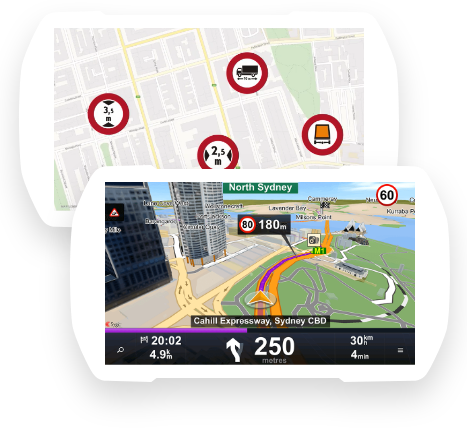
Integration with Sygic Truck & Caravan Navigation app: In the WFM app, when navigating to a destination, drivers can now use the Sygic Truck & Caravan Navigation app, (as an alternative to the CoPilot app):
You can check this article for Sygic's contact information. |
2021-10-04
|
WFM - Scan QR codes: New option in the Workforce Management for the Drivers to scan QR codes and attach the content to an input of a Form:
More details about forms and how to scan QR codes can be found in this article. |
|
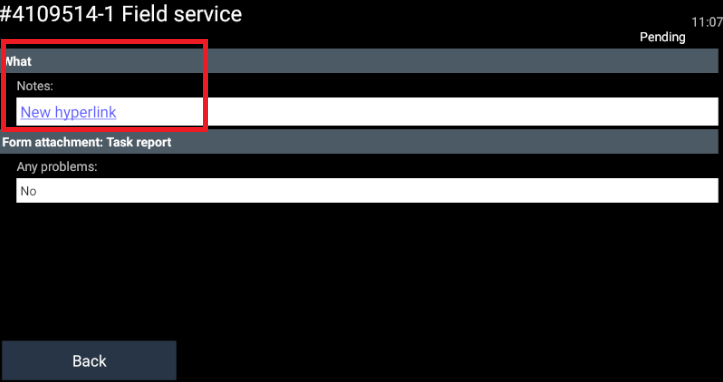
WFM - Open URls: When a URL is sent as a Task note to a WFM terminal, the driver will be able to click and open it on the device's default browser:
|

2021-07-12
|
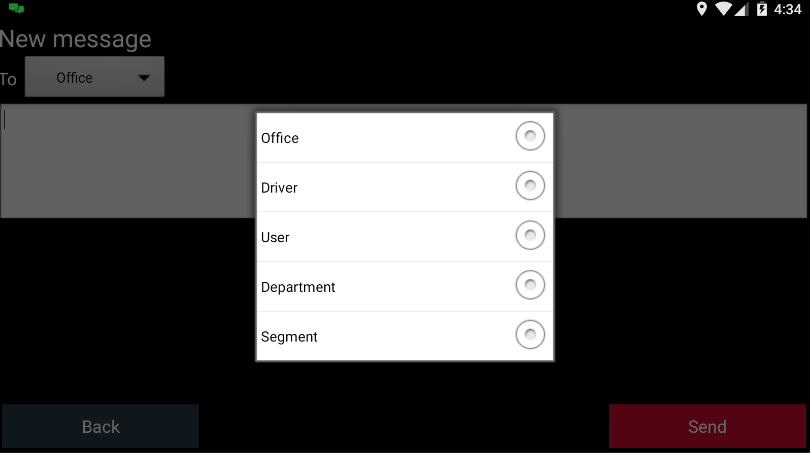
WFM - Messages to Departments, Segments, or Users: Drivers with the latest version of the Workforce Management app can now address messages to a specific Department, Segment or Frotcom user:
|
|
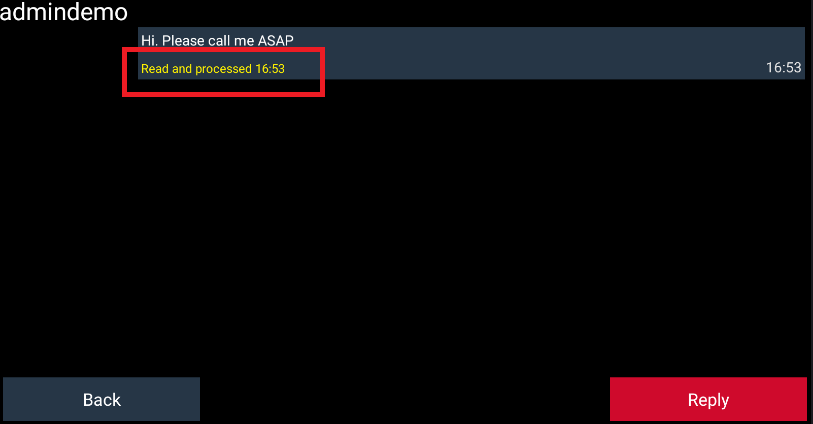
WFM - Read and Processed: As of now, you will be able to see if a message was read and processed by any Frotcom user. The feedback will be available right below each message:
|
2018-08-10
|
Show time difference from the previous and next vehicle: With the new widget inside the Workforce Management, you can have the information of the exactly time between your vehicle and the previous/next vehicle executing the same route template: The distances are shown to you on the navigation view of the app, and you can track, in minutes, the distance between the vehicle in front and behind you on the execution of the route. |
2018-05-18
|
Form list on Workforce Management: This new feature lets you see a list of all the forms that have been created on the device, as well as the eventual form drafts that you have created: For more information about forms please check this article. |
2018-03-16
|
Create and send places: You can now submit a new place location to Frotcom using the Workforce Management app. At the office, fleet managers will check these submitted places and by editing and making the necessary adaptations, they will include them as a new Frotcom place type, or delete them: Click here for more details. |
|
Driver to driver communication: With this new functionality, you can exchange messages with not only the office but as well with other drivers also using the Workforce Management: Here you can see more details about how to exchange messages. |
2017-10-13
|
The Workforce management terminal now can be used as a tracking device, and you can choose whether to allow location tracking or not.
For more details please click here. |

2017-09-18
|
The drivers now receive a message on their Garmin PND device when an assigned Route is Updated or Deleted. For more details about receiving assigned routes, please click here. |