With the Driver status functionality, you can set up statuses to use as tags for your drivers. With these tags, you can manage, sort, filter and identify drivers based on statuses relevant for your company, like Available, On Holidays, Fired, etc.
Configuration
To configure the Driver status, the first thing to do is to go to Administration > Drivers and click on Driver settings in the hamburger menu:
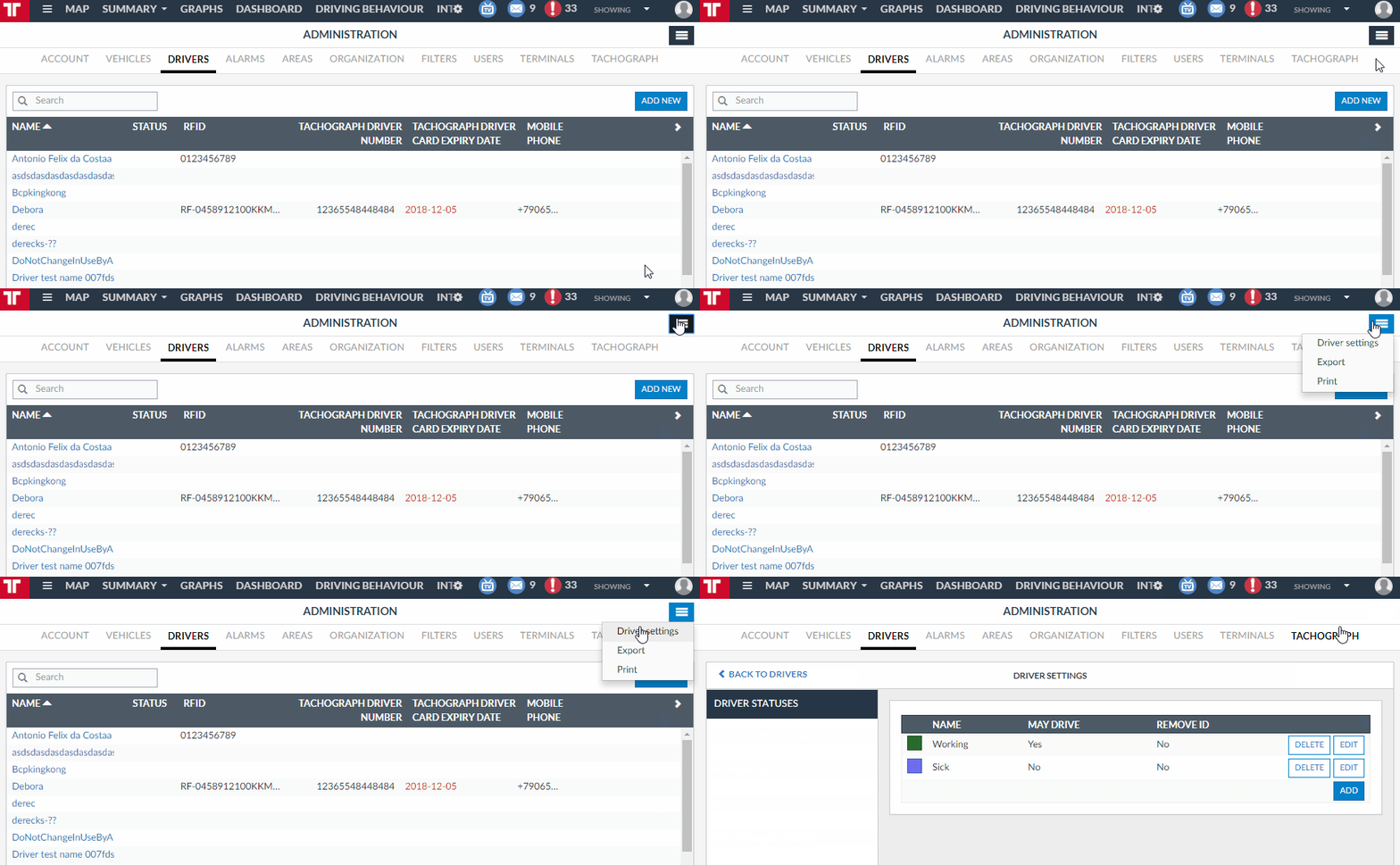
Here you can create, edit and delete the statuses:
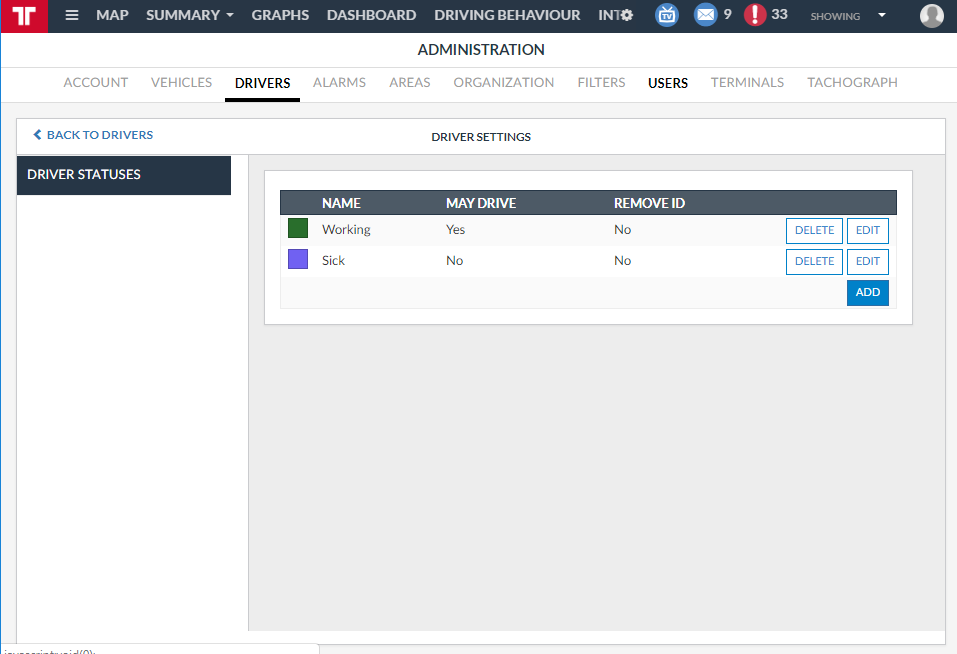
Besides the name and color for the status, you must select two more options: May drive and Remove ID:
| Option | Description | Default |
| May drive |
If May drive is marked as No, drivers with this status won't be able to be associated with vehicles. This has the following consequences:
If marked as Yes, none of the consequences above will occur |
Yes |
| Remove ID |
If Remove ID is marked as Yes, once a driver is assigned this status, fields RFID (Administration > Drivers - General), Tachograph driver number and Tachograph driver expiry date (Administration > Drivers - Tachograph) will be removed. If marked as No, no changes will be applied to the drivers. |
No |
Managing the statuses
Once you create the statuses, you can start maintaining your fleet with them.
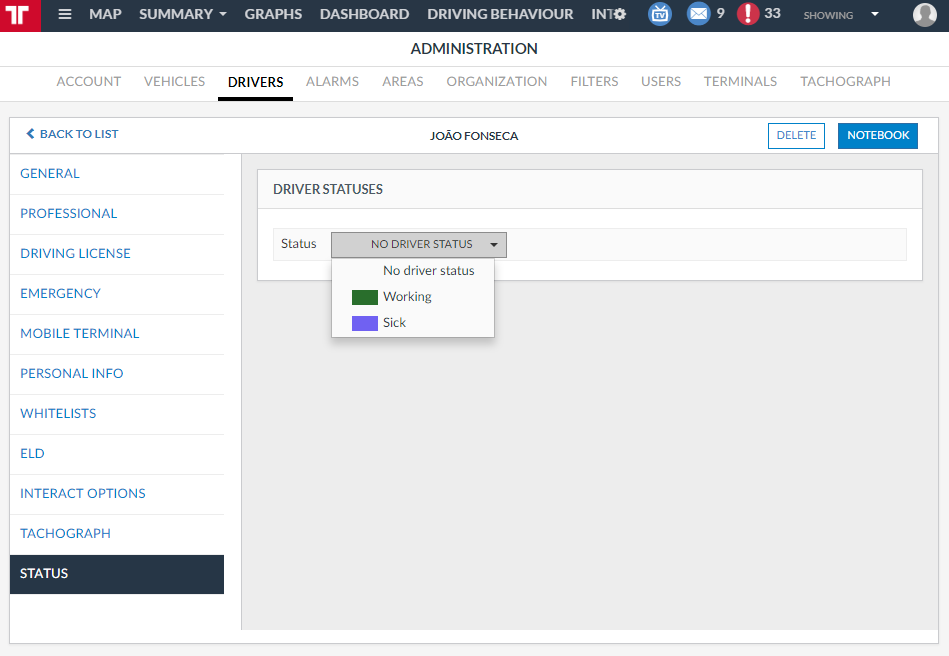
In Administration > Drivers - Details > Drivers, you have the option to set a status to the driver (or remove a status that was previously set):
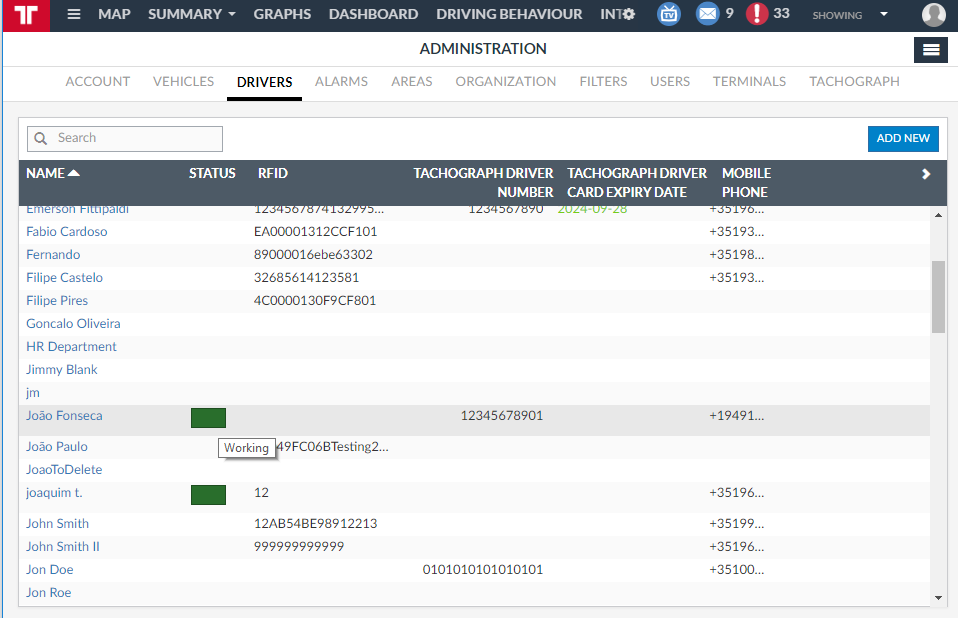
After you set the status for the driver, you can see the status in the list of the drivers:
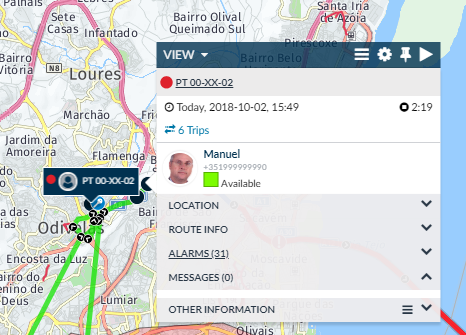
As well as in the Vehicle infobox of the vehicle that the driver is associated with:
Filters
The Driver status can be used as filters in different views of Frotcom. This way, instead of selecting all the vehicles under specific circumstance (i.e., only on duty drivers), you can choose just one status.
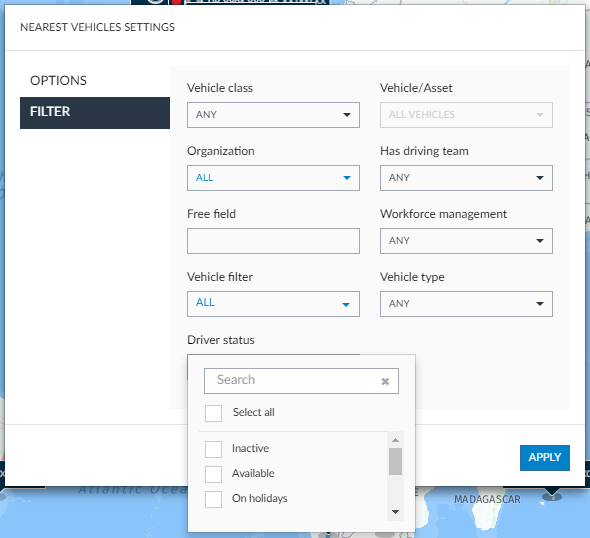
As of now, you can use filters with Driver status to find Nearest vehicles:
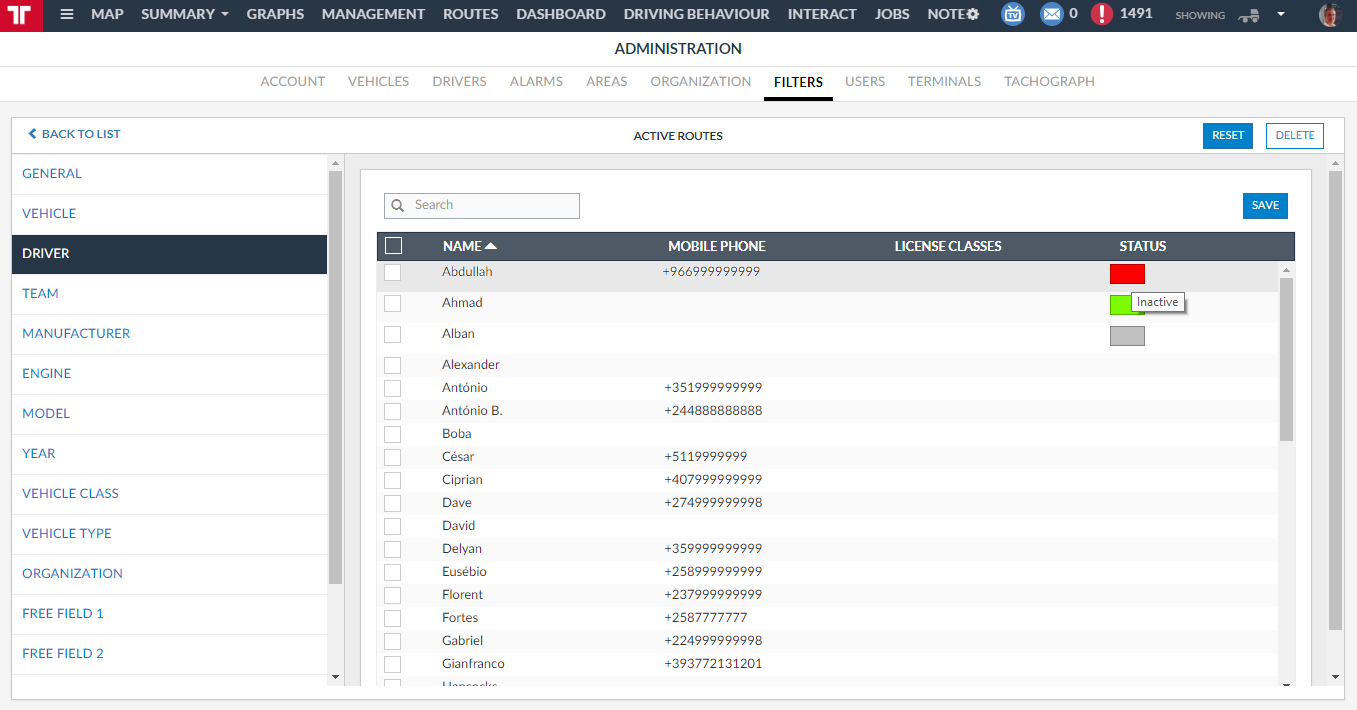
As a column to organize the drivers for the Vehicle filters:
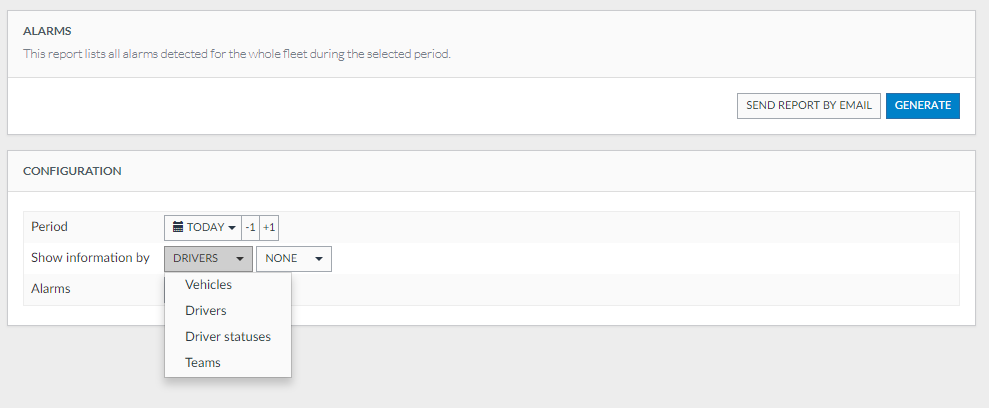
And, finally, for all the Reports that can be generated by Drivers, you have the option to generate it by Driver status. Therefore, the report will be created for all the drivers that have one of the statuses selected in the report generator panel: