To set up your preferences for the Frotcom TV, go to User preferences menu and select Frotcom TV folder:
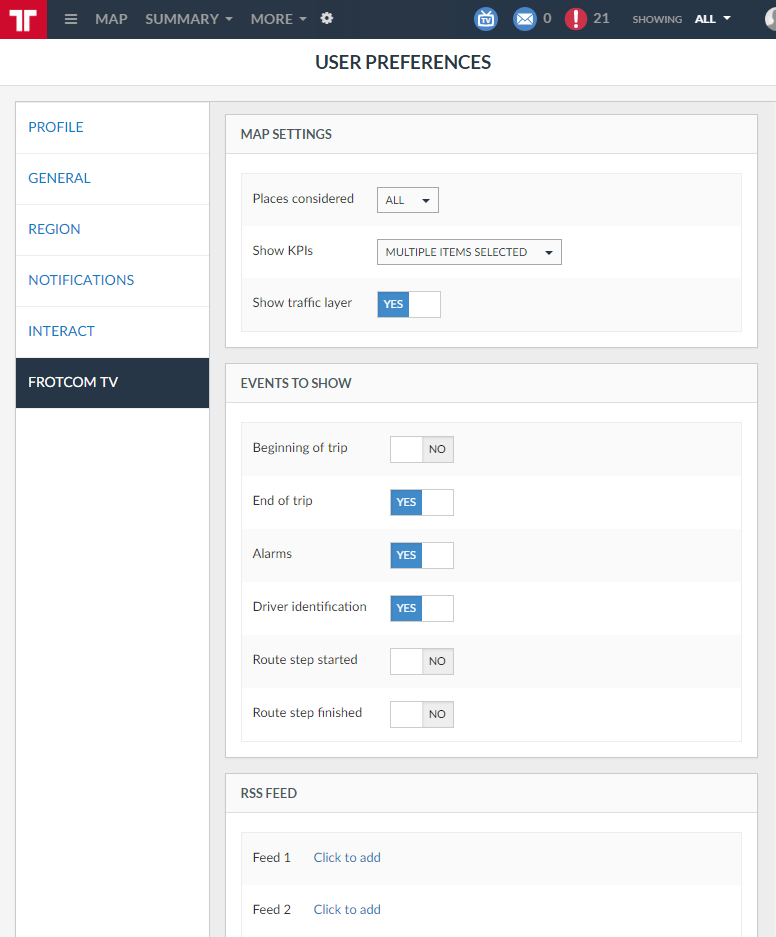
The Frotcom TV folder has the following sub-panels:
| Sub-panel | Description |
| Map settings | Options related to the map view of Frotcom TV. |
| Events to show | Options related to the events that are tackled by Frotcom TV. |
| RSS Feed | Options related to the RSS fields of Frotcom TV. |
If you want to know more about how Frotcom TV works, click here.
If you want to know more about Frotcom TV's interface, click here.