This report displays the occurrences of temperatures out of the bounds defined in the corresponding temperature alarm.
Configuration
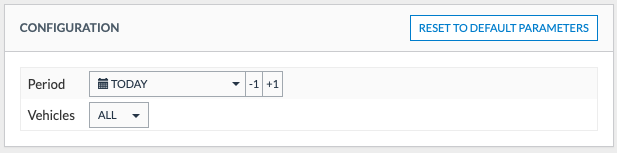
To generate the report, you must configure the following inputs:
| Configuration | Description |
| Period |
The period the report will be generated for. Options:
|
| Vehicles | Select here the vehicles that will be used to generate the report (Default: all) |
Output
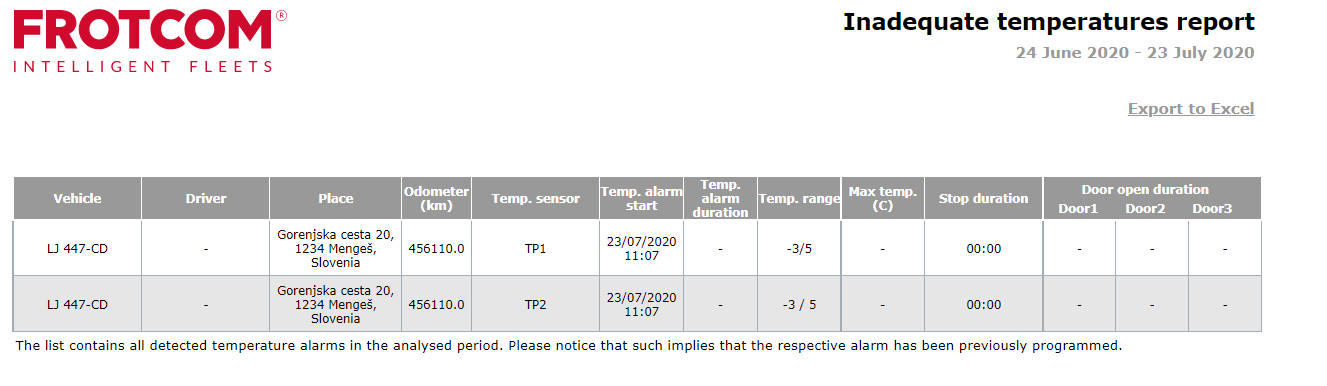
The output of the report contains the following data/columns:
| Column | Description |
| Vehicle | Vehicle's license plate |
| Driver | The driver associated with the vehicle |
| Place | The place where the vehicle was at when the alarm occurred. If a place is not defined for the location, then it’s address is used instead. If there is no place defined for the location, and an address can’t be determined, a dash (-) is presented. |
| Odometer | The value of the vehicle’s odometer when the alarm occurred. |
| Temp. sensor |
The name of the sensor that detected the alarm. |
| Temp. alarm start | The date and time at which the temperature was detected outside of the adequate temperature range. |
| Temp. alarm duration |
The amount of time the conditions or the alarm remained. |
| Temp. range |
The range of temperatures considered adequate. |
| Max temo. (C) |
The most extreme temperature measured during the alarm duration. This value may be above or bellow the temperature range. |
| Stop duration |
The total time for which the vehicle was stopped in the first place reached after the alarm began and until the vehicle started to move again or the alarm finished. |
| Door open duration (1-3) |
The time each door was open since the alarm was triggered until the alarm ends. |