The Fast Track Map mode is an option that becomes available for you once you have permission to see the Map view, and was specially designed for fleets configured with Real-time tracking.
It presents a new version of the Map with minimum information, optimized for high-frequency updates. With this, you will be able to watch your whole fleet movement in nearly real-time on the map.
This view was thought of as a way for you to use the Map focussed on precision, based on Real-time tracking (instead of using the Path mode of a single vehicle each time).
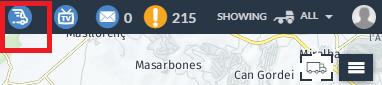
After logging in to Frotcom, you will see the Fast track map icon on the top-right corner:
You will see that the Map assumes a new layout:
- All the top view icons change into arrows (Green arrows for vehicles with Ignition ON; Red arrows for vehicles with Ignition OFF) that point to the direction the vehicle is heading to;
- Simple vehicle marker with up to two fields to be displayed;
- Update frequency depends on the zoom level (the bigger the zoom, the faster you will see the updates);
- No bottom panel, infoboxes, or any other map actions.
To exit the Fast Track Map and go back to the full Map view, click on the X icon on the bottom-right corner, or on the Fast Track Map icon (which will turn Yellow once you have this mode active):
