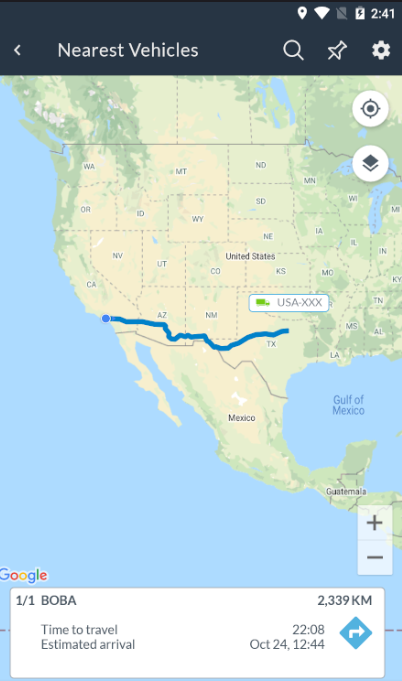
In this area of the Fleet Manager app you will be able to find the nearest vehicle to you or to a certain point on the Map:
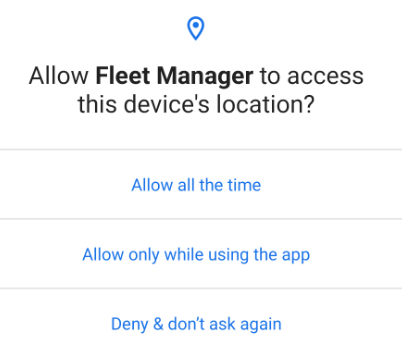
If this is the first time you access this area, you will be asked to give the app permission to see your current location.
Without this permission, you won't be able to use this feature. If you deny it, you will need to manually give the app permission in the phone's settings:
Once you've given the app access to your location, you will be able to see a map, and it will be preloaded with the nearest vehicle to your current location.
At the bottom of the view you will see details about a trip that would take the vehicle to your location:
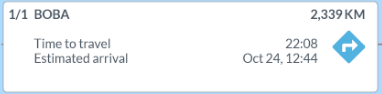
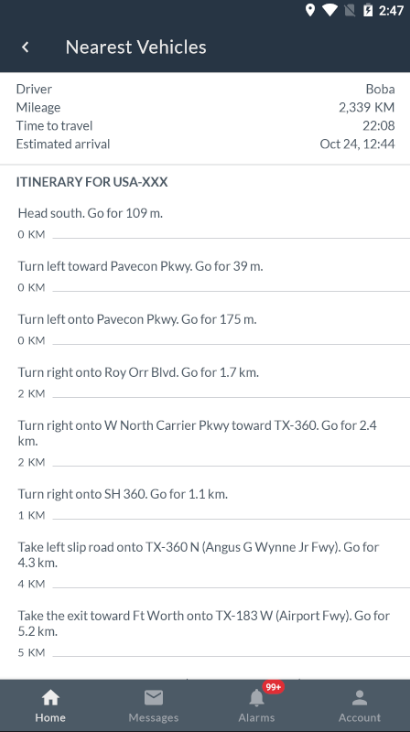
If you click on the arrow icon of this section, you will be able to see the full itinerary of the trip: