Sometimes, especially in the sector of urban transportation of passengers (buses), the assignment of a single route to a vehicle is not efficient. Since the bus will go back and forth a number of times, the assignment of routes to the vehicles must be done in Route groups.
In Frotcom, you can assemble Route templates in these Route groups, specifying for each route, the departure time.
To visualize all the existing Route Groups go to the Routes panel, by clicking on More > Routes:
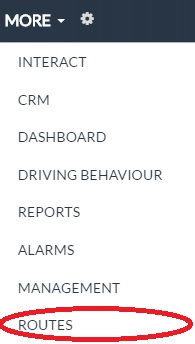
And the Routes panel will be available to you. After, click on the Groups folder:

Here you will find listed all the already created Route groups.
The panel contains the following information:
| Column | Description |
| Route groups | Route group name. This is the identification name of the route group. |
| Routes | Number of routes in the group. |
| Steps | Total number of steps in the group. |
| Description | Free text field. |
| Update date | Date/time of the last update to the route group. |
| Username | Identification of the user who performed the last update. |