Scheduled routes are all the automatically generated routes. When you create, for instance, a route template with weekly schedule type, Frotcom automatically creates routes to cope with your instructions. However, at some point in time, you might want to delete these automatically programmed routes. If so, the Scheduled routes feature is what you are looking for.
In the Scheduled Routes folder of the Routes feature, you are able to see all the scheduled routes and you also have the option to delete them.
Please note that only the Route templates with weekly scheduled type are displayed.
To visualize all existing Schedule routes, go to Routes panel, by clicking on More > Routes:
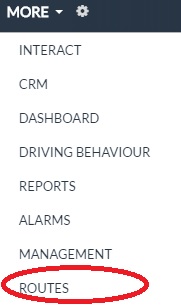
After that, select the Scheduled Routes folder. The following screen will be displayed to you:

It contains the following information:
| Column | Description |
| Vehicle | Vehicle to which the route weekly template is assigned. |
| Route | Identification name of the route weekly template. |
| Assignment type |
Type of the route assignment. Only weekly type will be displayed. This means that the displayed scheduled routes are routes to be performed certain days of the week. Every such day, the route will be repeated. |
| Weekday | Route's execution weekday. |
| Start time | Route's executions start time. |
| Created on | Indication when the route was scheduled. |
You may use the checkboxes of the first column to select one or more Scheduled route:

After you perform your selection of Scheduled routes to delete, click Delete:

The Delete selected scheduled routes panel will be displayed:
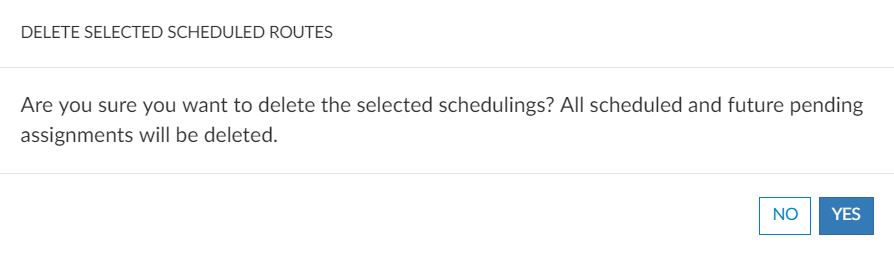
Click Yes to confirm your actions. The following confirmation pop-up will be displayed:

Note that by deleting a Scheduled route, you are also canceling the automatic creation of the scheduled route you created. For instance, taking into account the example for the previous picture, we have a route template named Gnesener Str. Route assigned to vehicle AO XX-00-00-XX to be performed every Monday, Tuesday and Wednesday at 10:30 a.m.. By deleting the route to be executed Tuesday, for the future, the Tuesday route assignement will not be scheduled anymore. The Monday and Wednesday routes remain unchanged.